Google Drive Automation Needs Document Control
Google Drive automation can help AI find company information, but without document control, it may give your team the wrong file. Learn how to fix it.
Watch the YouTube video
Watch on YouTubeArticle Summary
- 01
AI can find a file that looks relevant without knowing whether it is approved, current, or sitting in the right folder, so a draft can quietly become the instruction your team follows.
- 02
A Document Register maps each approved document to its Google Drive File ID along with the title, version, status, owner, approver, review date, and source link, so AI answers from the one source the register names as approved.
- 03
Google Drive permissions decide which files AI can read, while the Document Register decides which files it can treat as an approved answer. Reading a file and relying on it are two separate permissions.
Back in 2024, Air Canada faced a legal dispute over an answer its own chatbot gave a customer.
In November 2022, Air Canada customer Jake Moffatt used the airline’s chatbot to ask about a bereavement fare. He wanted to know if he could buy a normal ticket first and ask for the discounted fare later.
The chatbot said they could apply within 90 days of the ticket being issued 1. It even linked Moffatt to Air Canada’s official bereavement-fare policy page. But the airline’s own policy page said the reverse. It said you needed to ask for the discounted fare before you travelled. Once the trip was over, you couldn’t claim it back.
So, when Moffatt asked for a refund, Air Canada turned it down because, under its policy, it couldn’t do that. Moffatt had relied on the chatbot’s answer, so he took the case to the British Columbia Civil Resolution Tribunal.
In the end, Air Canada was ordered to pay C$812.02 because the chatbot was part of the airline’s website 1. The airline was still on the hook for what it told Moffatt.
We don’t know exactly why the chatbot produced the wrong answer. But this case shows what can happen when an AI answer clashes with what a business calls official.
And this can happen to any business that trusts AI to give the right answer just because it’s been given the data.
But how many files are sitting in one company database or Google Drive for AI to read? And from that pile, how can AI find the right one? Your Drive may hold duplicate files, old drafts, clashing policies, and different steps under the same name.
Why AI Struggles to Find the Right File
Let me ask you this: imagine that you’re trying to find a file. You type a keyword into the search bar, and it shows you these files:
September Report Final.
September Report Final Updated.
September Report Final 2.
Can you tell which file is the right one? If you can’t tell from the filenames, AI shouldn’t be expected to know either.
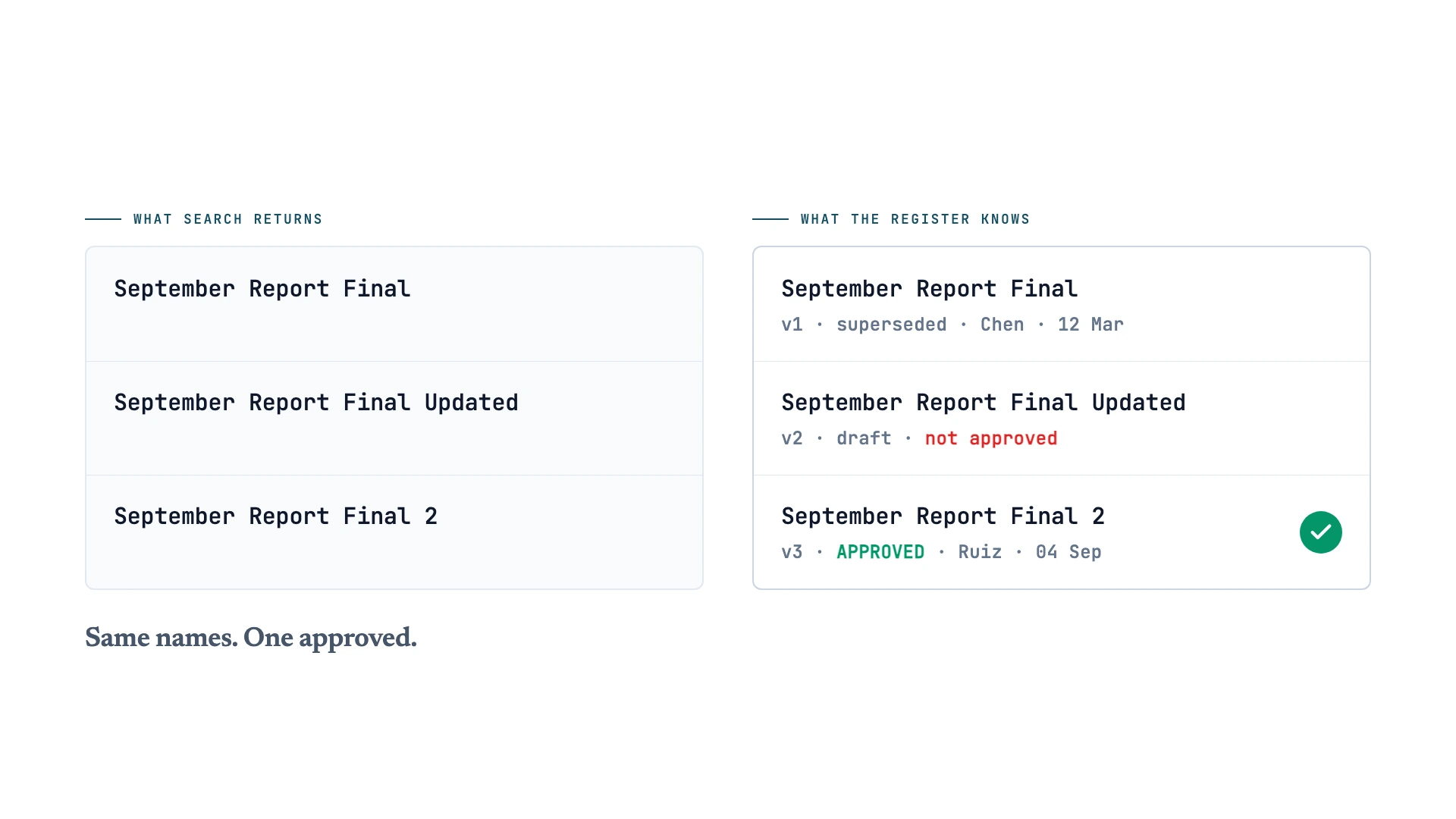
AI needs a clear way to tell your files apart before it can find the right one. Left to itself, it picks the file with the most convincing name. And the wrong file could cause a serious problem, especially for someone out in the field or for a customer.
For example, a worker might ask which steps to follow when handling an unknown chemical. AI may find a file called “Chemical SOP Final V1” and give a clear answer based on it.
The problem is that it can’t tell whether that file is still approved. It doesn’t know if a newer version exists, or if someone copied the file into the wrong folder six months ago.
And if the worker uses the older steps, how dangerous could that be for them and the people around them?
So, this problem goes wider than your Google Drive. A 2025 benchmark called HERB tested RAG on a fake company workspace. It held files, chat messages, old drafts, and records that didn’t agree. Even when the right answer was in there, every standard RAG method tested scored zero on its customer-search questions 2.
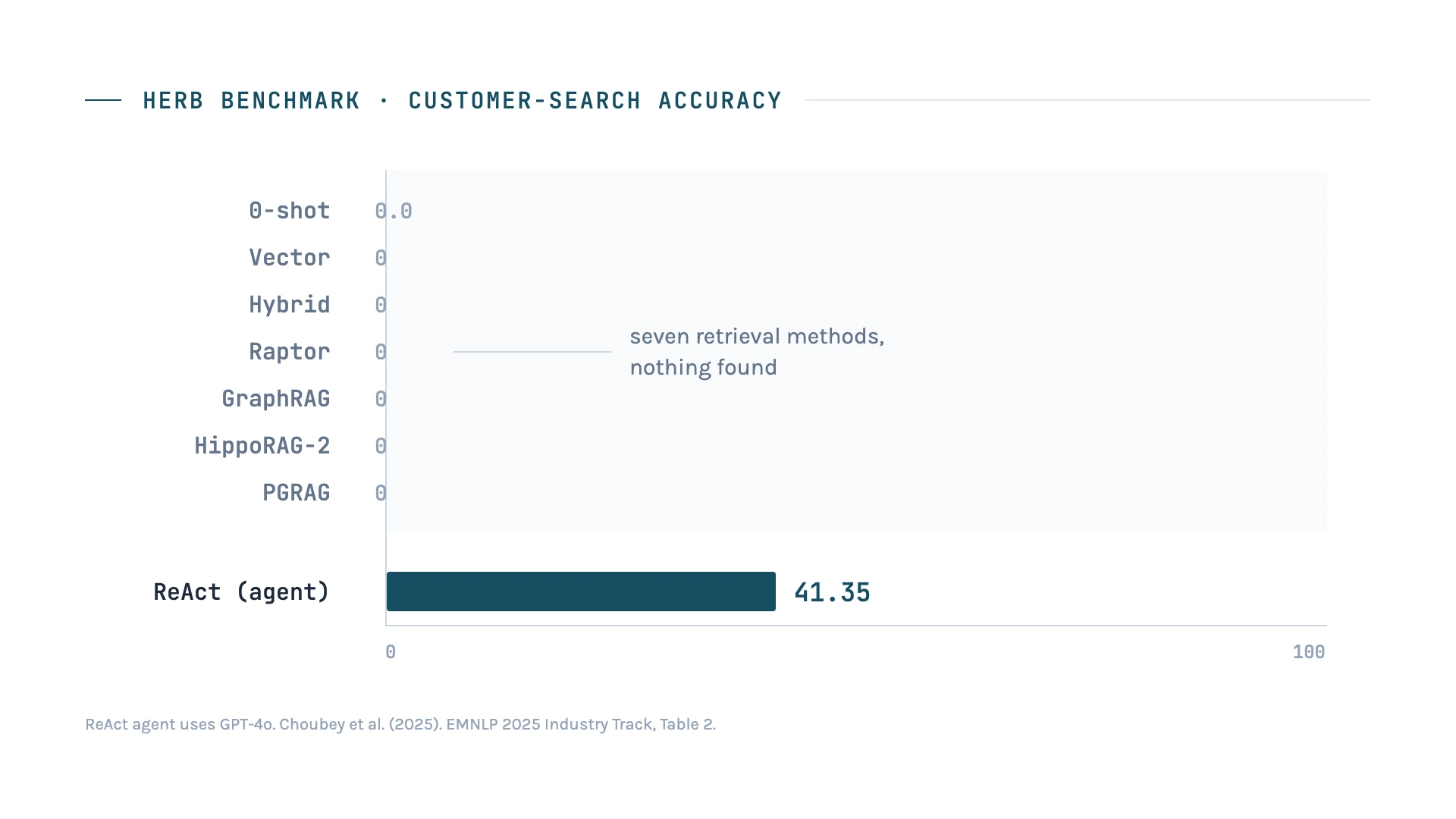
This is one benchmark, and other RAG systems may score better. It still shows that better search can’t decide which file counts as official.
That’s why you need document control on top of search. It tells AI which files count as official and helps it find the right source.
How Do You Tell AI Which File Is Official?
First, your business needs controlled SOPs, or standard operating procedures. These are the documents that contain the rules and instructions your team is approved to follow.
Approved procedures should live in one set place, and drafts should live somewhere else. Otherwise, a file still under review can become the instruction your whole team uses.
Then, you need a Document Register to tell AI which of those files is official.
Think of it as a control layer between AI and your Google Drive. The register maps each approved file to a specific Google Drive File ID. It also records the title, version, status, owner, approver, review date, and source link.
So, when a worker asks a question, AI checks the register first, finds the approved File ID, and answers from that source.
Google Drive permissions still decide which files the AI can read. The Document Register decides which file it can treat as an approved answer. A file may stay in Drive for history, audits, or review without being used to guide staff. Reading a file and relying on it are two separate permissions.
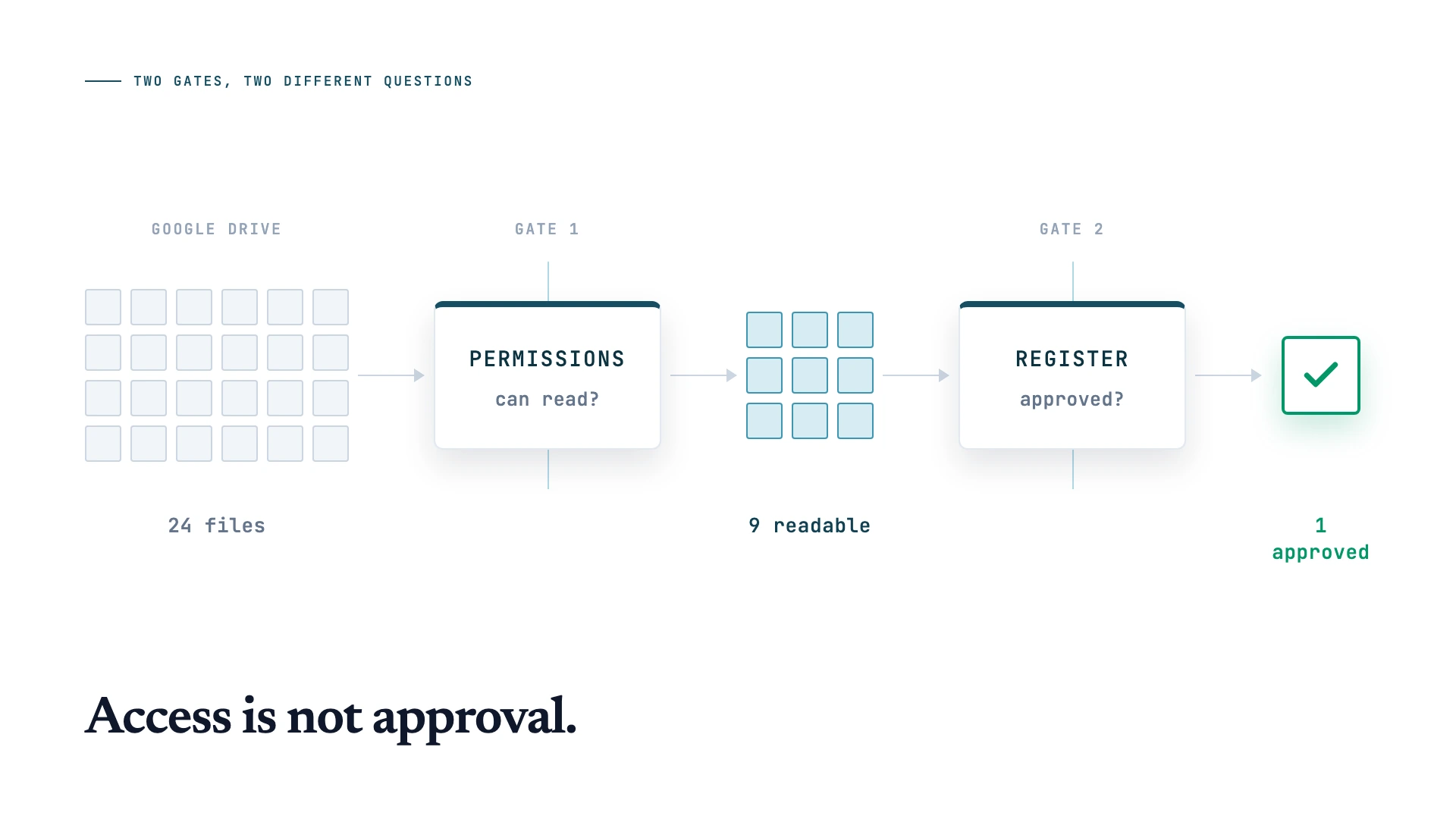
It can still flag duplicate files, missing details, version clashes, or files sitting in the wrong folder. It can also propose a rename, archive action, or procedure update. But the document owner should still decide whether to approve, publish, archive, or delete anything.
That’s how AI can help your team find and use approved files more consistently. It does that without becoming the person in charge of company policy.
Start Small Before You Automate Everything
You don’t need to reorganise your whole Google Drive overnight. That’s how people end up with a new folder structure and the exact same mess six months later.
Just start with one high-friction document area in your Drive. Pick a procedure staff keep asking about, a template with too many versions, or a checklist nobody can identify as current.
Name the business owner, split approved files from drafts, and build a basic Document Register. Then test whether AI can answer questions only from the approved source.
Google Drive automation works best when it makes the right behaviour the easy one. Done badly, it gives your team another place to create duplicates.
And always remember: your team owns the decision about which file becomes the official source. AI workflow automation can help your team find files more easily, but the final call should stay with a human.
If you want help building a controlled AI workflow around your company files or Google Drive, contact us here. We can help you find the right workflow for your business. We can also set up Google Drive automation that keeps your system steady as your company grows.
References
- Civil Resolution Tribunal of British Columbia (2024). Moffatt v. Air Canada, 2024 BCCRT 149. CanLII. https://www.canlii.org/en/bc/bccrt/doc/2024/2024bccrt149/2024bccrt149.html
- Choubey, P. K., Peng, X., Bhagavath, S., Huang, K.-H., Xiong, C., & Wu, C.-S. (2025). Benchmarking Deep Search over Heterogeneous Enterprise Data. Proceedings of EMNLP 2025: Industry Track. https://aclanthology.org/2025.emnlp-industry.34/
Keep up with what I'm working on
I'll send you occasional emails about new articles, tools and offers that could help with your business.