Improve Your Bookkeeping Operations With a Better Workflow
Workflow consulting for Australian bookkeeping firms, covering workflow design, software configuration, system integration, automation and custom software.
Contact us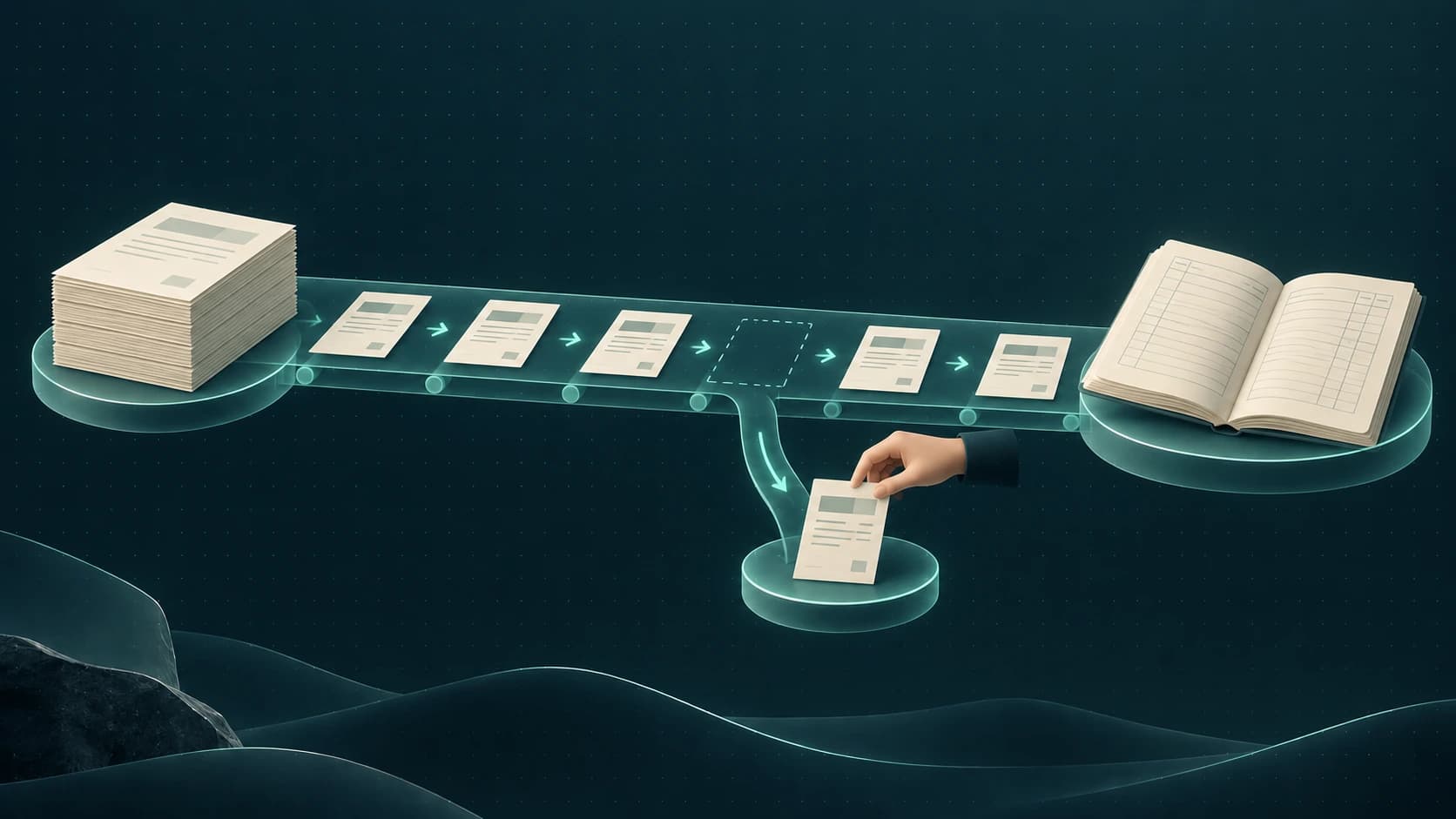
Stop the chasing before it slows down your bookkeeping workflow
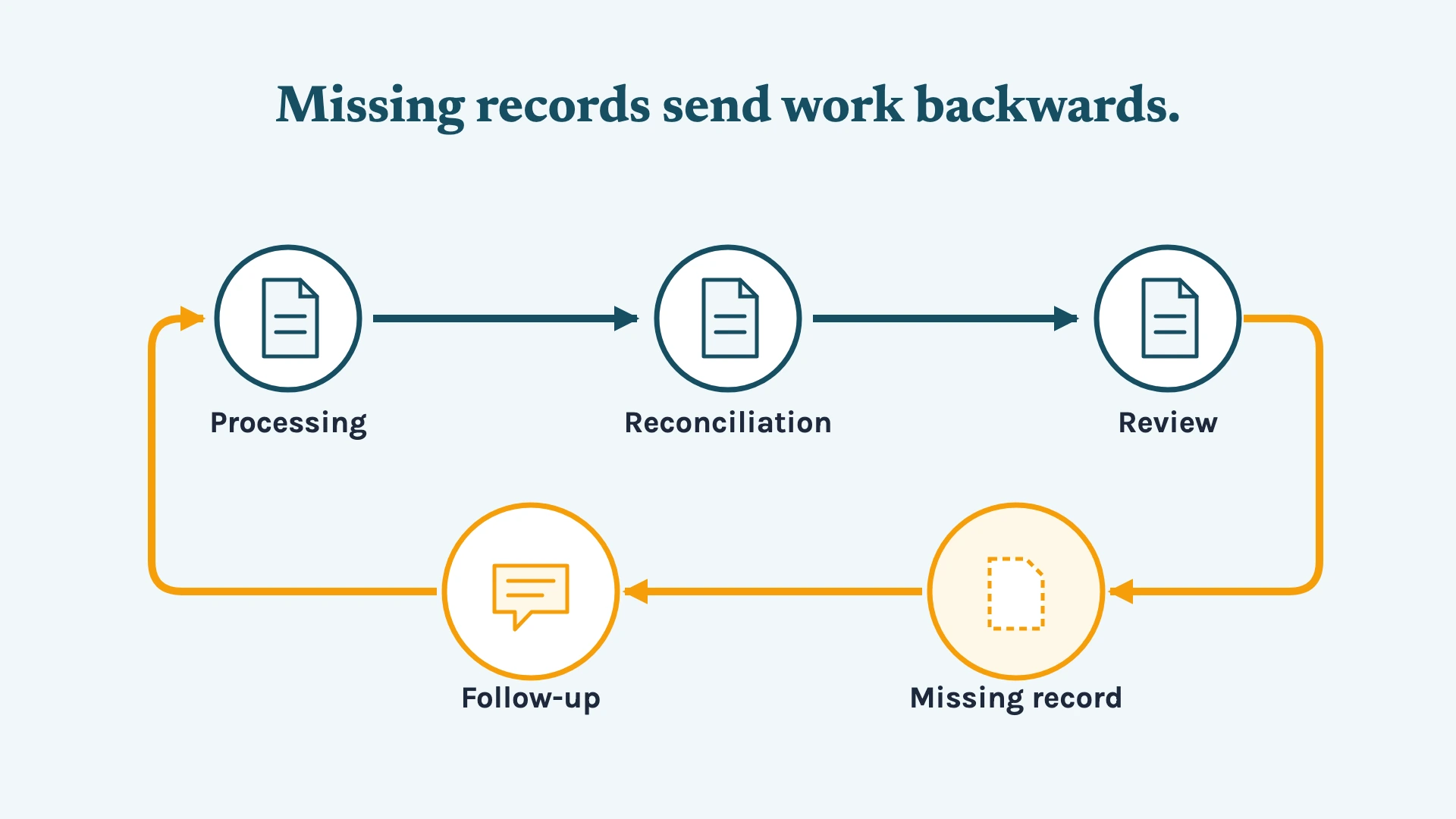
A document is missing. Someone sends a reminder. The client replies later. The transaction can finally be processed, but now the reconciliation is waiting. Then a review note comes back, and the same file moves between people again before the month can be closed.
It can turn into an endless cycle of chasing, waiting and rework.
The chasing itself may only take a few minutes, but if this keeps happening — not just for one client, but across multiple clients — those small delays can start consuming more of your team's capacity than they need to.
Not to mention, when missing information, unresolved exceptions and recurring review notes keep sending work backwards, the delays can eventually spread across the rest of the delivery process.
Is it really that serious?
It can be. Not because one delayed document will derail a month, but because repeated friction can expose gaps in the way your processes, software and people work together.
A good bookkeeping workflow should look like this
A well-run bookkeeping operation should make it clear what needs to happen at each stage of the work and keep work moving when something falls outside the normal process.
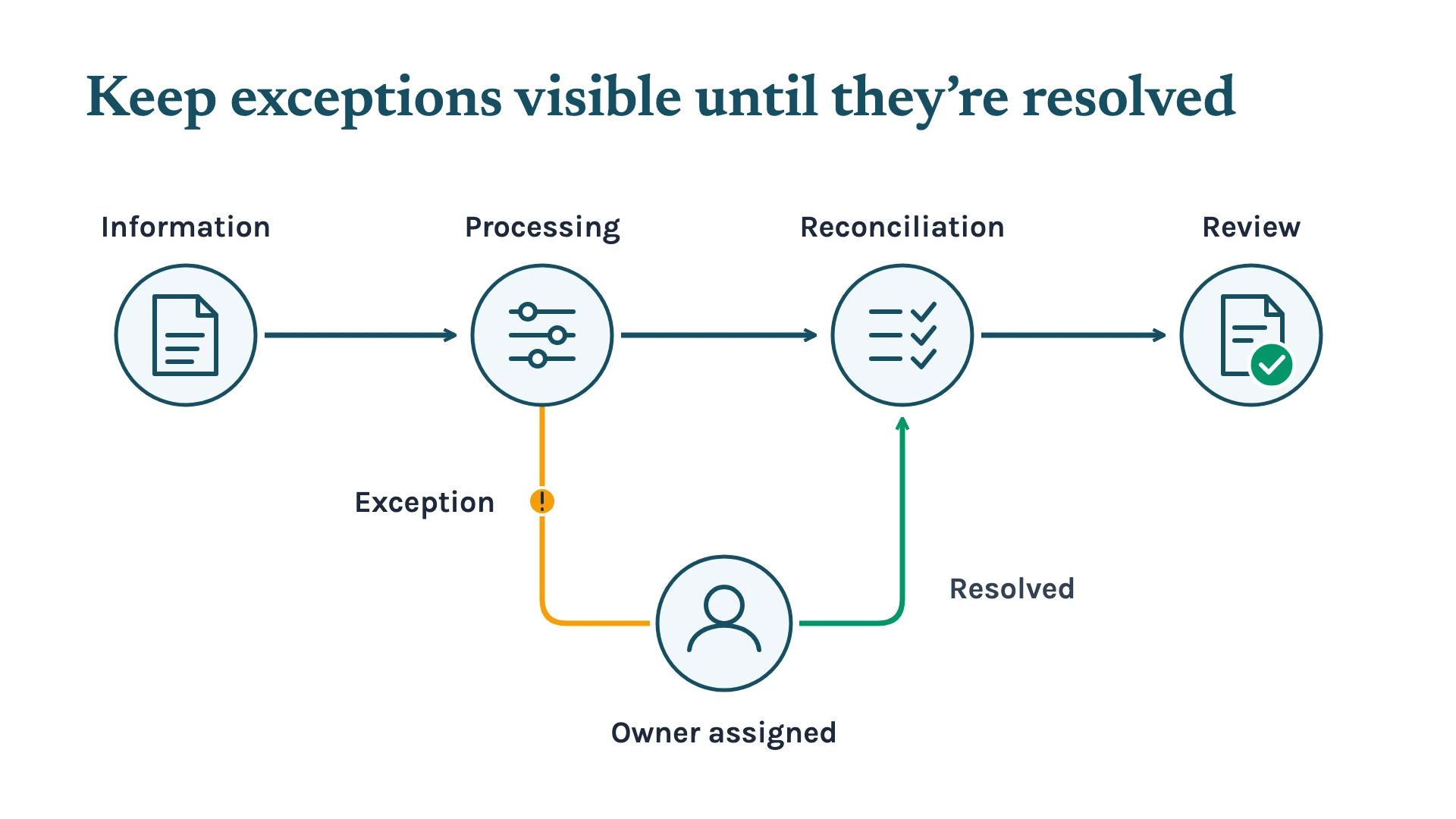
When client information is incomplete, your team should be able to see what is missing and who needs to follow up. When a transaction doesn't reconcile, there should be a clear path for resolving the exception. When work is ready for review, the right person should be able to pick it up without having to work out what has already been done.
Routine work should move with as little unnecessary intervention as possible. Exceptions should be visible, assigned to the right person and kept moving until they are resolved.
So, the goal isn't simply to keep entering transactions until the books are up to date. It’s to build a delivery process where your team can see what needs attention, what is waiting on someone else, and what is ready to move forward.
To get there, what needs to change in your firm?
There’s no single fix that works for every bookkeeping firm. The way work moves through the firm depends on the clients you serve, the systems you use, and how your team handles processing, review and exceptions.
Sometimes the workflow itself needs to change. Sometimes the process works, but the software isn't configured to support it properly. In other cases, the systems are doing what they were designed to do, but they aren't passing information between each other cleanly.
However, there’s one principle that can apply across these situations: don't make your team manually handle repetitive work that your systems can handle reliably.
That could mean redesigning the workflow, configuring your existing software, connecting the systems that need to work together, automating repetitive steps, or building something more tailored when the existing tools don't fit the process.
The right place to start is finding where the delivery process is creating unnecessary work.
1. Redesign the workflow around how work actually moves
A bookkeeping workflow needs to cover both the normal path and what happens when something goes wrong.
If a client record is incomplete, the process should show what is missing, who follows up, and where the job sits while waiting. If a transaction doesn’t reconcile, there should be a clear path for resolving it. When work reaches review, the reviewer should be able to see what has been checked and what still needs attention.
The goal is to make the hand-offs clear, so the team can see where work is waiting instead of relying on people to remember what still needs attention.
2. Configure your software to support the process
Once the workflow is clear, the software needs to support it. That means configuring the tools your team already uses around the stages, ownership and checks in the process.
This could include job templates, work statuses, checklists, task assignments, permissions, notifications or reporting.
For example, if a job moves through processing, reconciliation and review, the system should show its current stage, who owns it and what still needs attention. That gives the team a work queue they can act on instead of relying on spreadsheets, inboxes or memory.
3. Connect the systems that need to work together
Bookkeeping delivery rarely happens in one system.
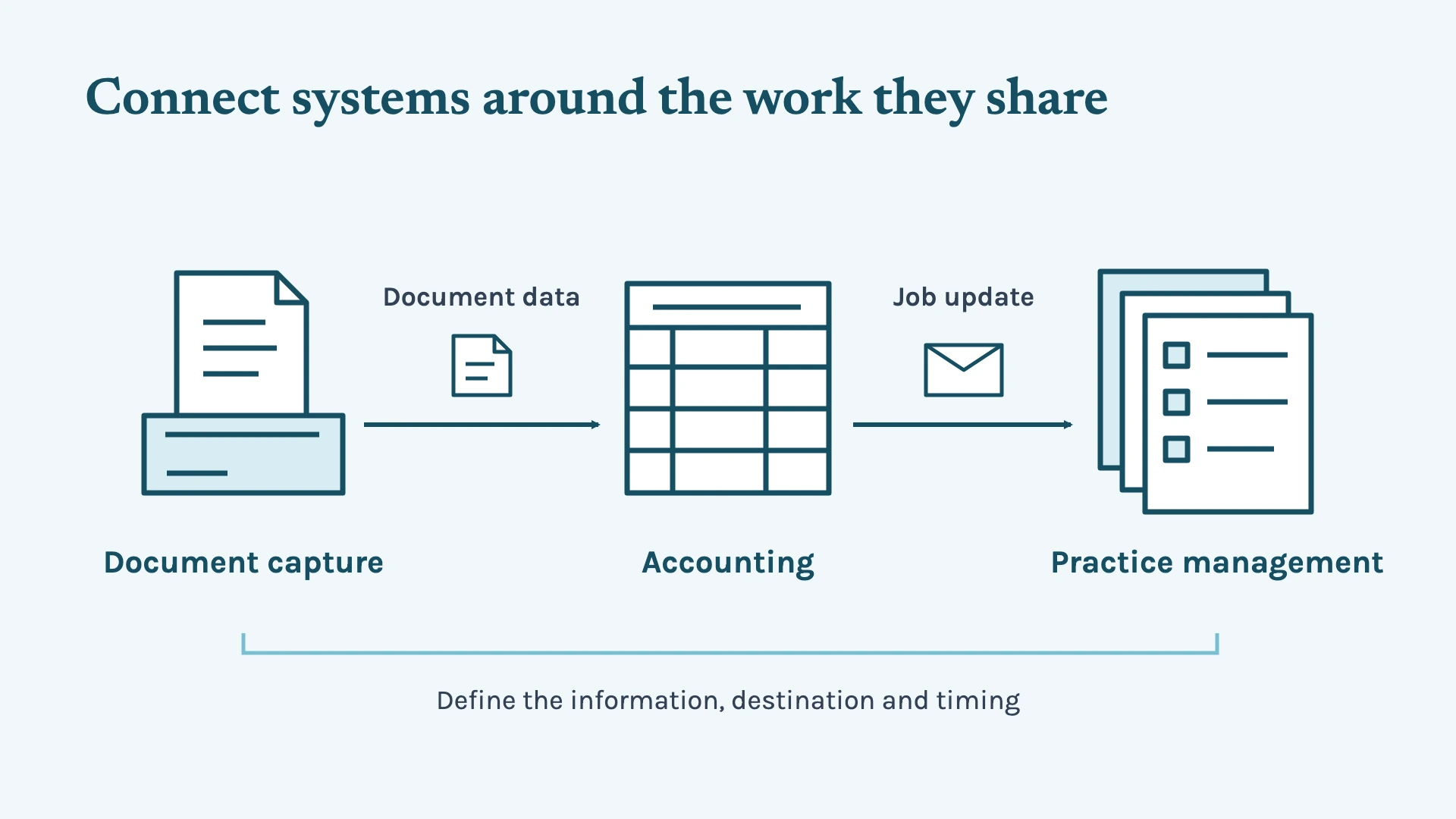
Your accounting platform may handle the ledger and bank data, while document capture, practice management, payroll or reporting tools handle other parts of the process. When those systems don't connect properly, your team may end up moving information between them manually.
That’s why integration connects the systems that need to share information. The setup needs to define what information moves between systems, where it goes and when it should trigger the next step.
For example, when information from one system needs to create or update a job in another, that hand-off can happen automatically instead of someone copying the details across.
The key is making sure the connection supports the workflow rather than simply connecting two systems because they can be connected.
4. Automate the work that follows a standard path
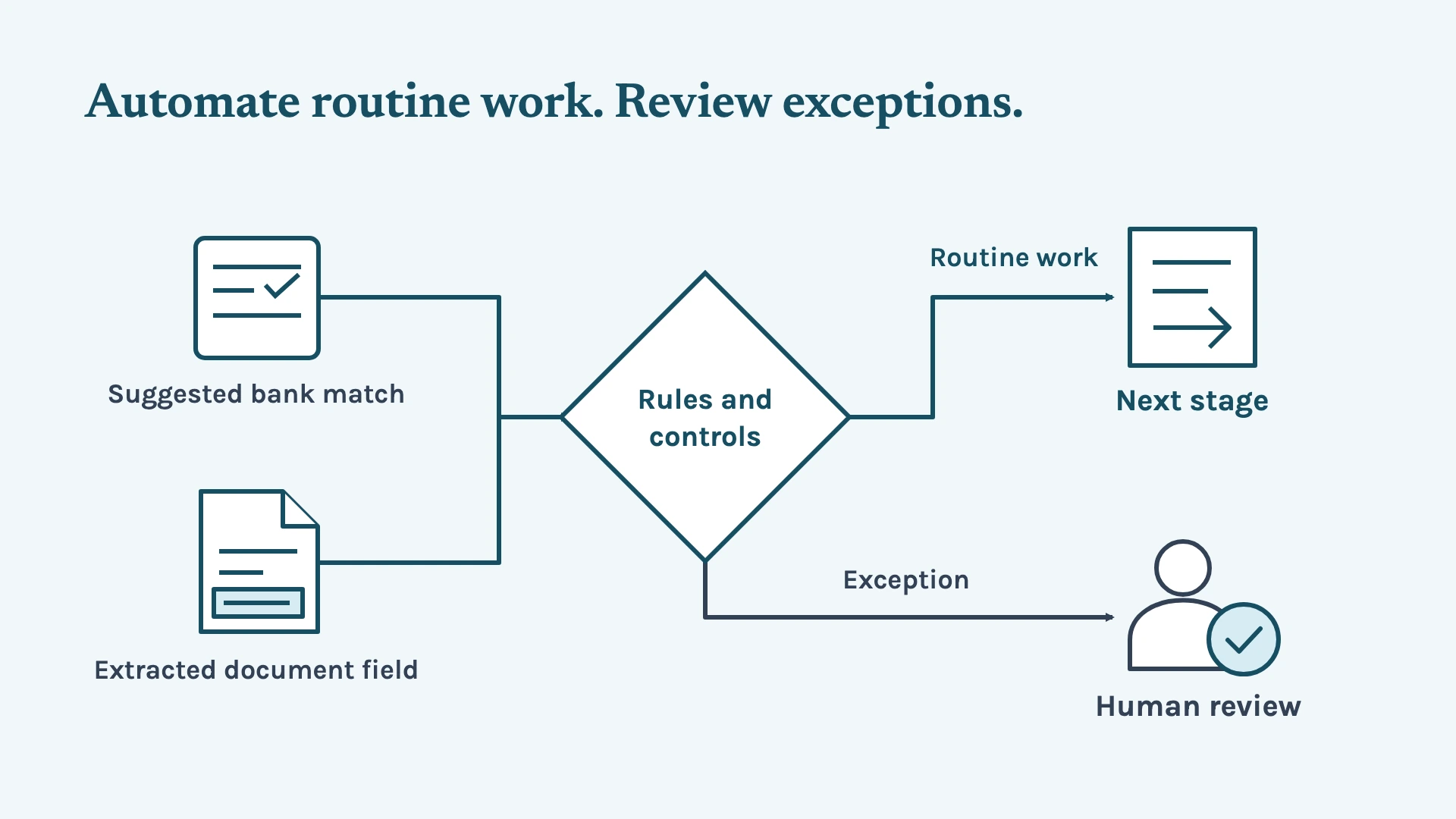
Routine processing, notifications, data transfers and other predictable steps can be automated when the rules and controls are clear. This can reduce the amount of manual handling involved while keeping exceptions visible to the people who need to deal with them.
But remember, automation shouldn’t be treated as a replacement for professional judgement.
A bank-feed match can be suggested. A document field can be extracted. A workflow can move a task to its next stage. But unusual transactions, GST-sensitive work, payroll exceptions and other matters requiring judgement still need appropriate review by your team.
5. Build custom software when the existing tools don't fit
Sometimes the problem isn't a missing workflow or an unused software feature. Your firm's process may require something that standard tools and integrations don't handle well.
Custom software can be built around that specific requirement instead of forcing the process to fit what an existing product can support. That could mean building a tool for a specific internal workflow, handling information that existing systems don't manage properly, or creating a tailored connection between systems.
The same principle still applies: the software should solve a defined delivery problem, with a clear role in the workflow, clear inputs and outputs, and appropriate controls around the work it handles.
Shall we start by checking what’s holding your firm back?
The starting point doesn't need to be a particular piece of software or a decision to automate.
We can start with how work moves through your bookkeeping firm: how client information enters the process, where work moves between people and systems, where exceptions appear, and where review or approval is required.
From there, we can identify whether the problem calls for workflow changes, software configuration, system integration, automation or something more tailored.
If your Australian bookkeeping firm is dealing with too much chasing, manual hand-offs, recurring rework or work getting stuck between stages, book a time with us to look at what's happening behind the delivery process and where the workflow needs attention.