Local AI vs. Cloud AI for Finance Teams
Compare local and cloud AI for finance teams, including data control, infrastructure responsibilities, access boundaries, and human review.

Article Summary
- 01
Local AI gives a business more control over where a model runs, but the business must manage its hardware, model choice, permissions, updates, and workflow safeguards.
- 02
Cloud AI remains practical for lower-risk workflows because the provider manages the infrastructure, availability, and model updates.
- 03
Choose local, cloud, or hybrid AI only after defining the workflow, approved information sources, access boundaries, and decisions that require human review.
For years, the biggest AI companies have seemed impossible to compete with. They’ve built the largest models and enormous data centres, with more resources than most businesses could ever build themselves.
That’s why cloud AI became the default for many businesses. You open a browser, send a prompt, and get access to powerful tools without buying specialised hardware or managing a model yourself.
But what if I told you it’s no longer the only option? Your business doesn’t have to rely entirely on an external provider’s servers. Instead, it can now run certain AI models on hardware it controls, such as a capable workstation or an on-premises server.
Is this possible without building an AI lab from scratch?
Yes, local AI tools are making it much easier for businesses to download, run, and use suitable models on their own hardware. That can sound like an obvious win, right? It sounds especially suitable for finance teams handling sensitive customer data, internal documents, or proprietary code. However, local AI isn’t automatically better just because the model runs closer to home.
Cloud AI can also be easier to access, maintain, and scale, while local AI can offer more control. But it also means taking responsibility for the hardware, model choice, permissions, and how the AI behaves inside a business workflow.
So, is local AI for finance a better fit than cloud AI for your team? The answer depends on what your team needs it to do.
Understanding the Difference First
Before deciding which option is better, it helps to understand what’s changing.
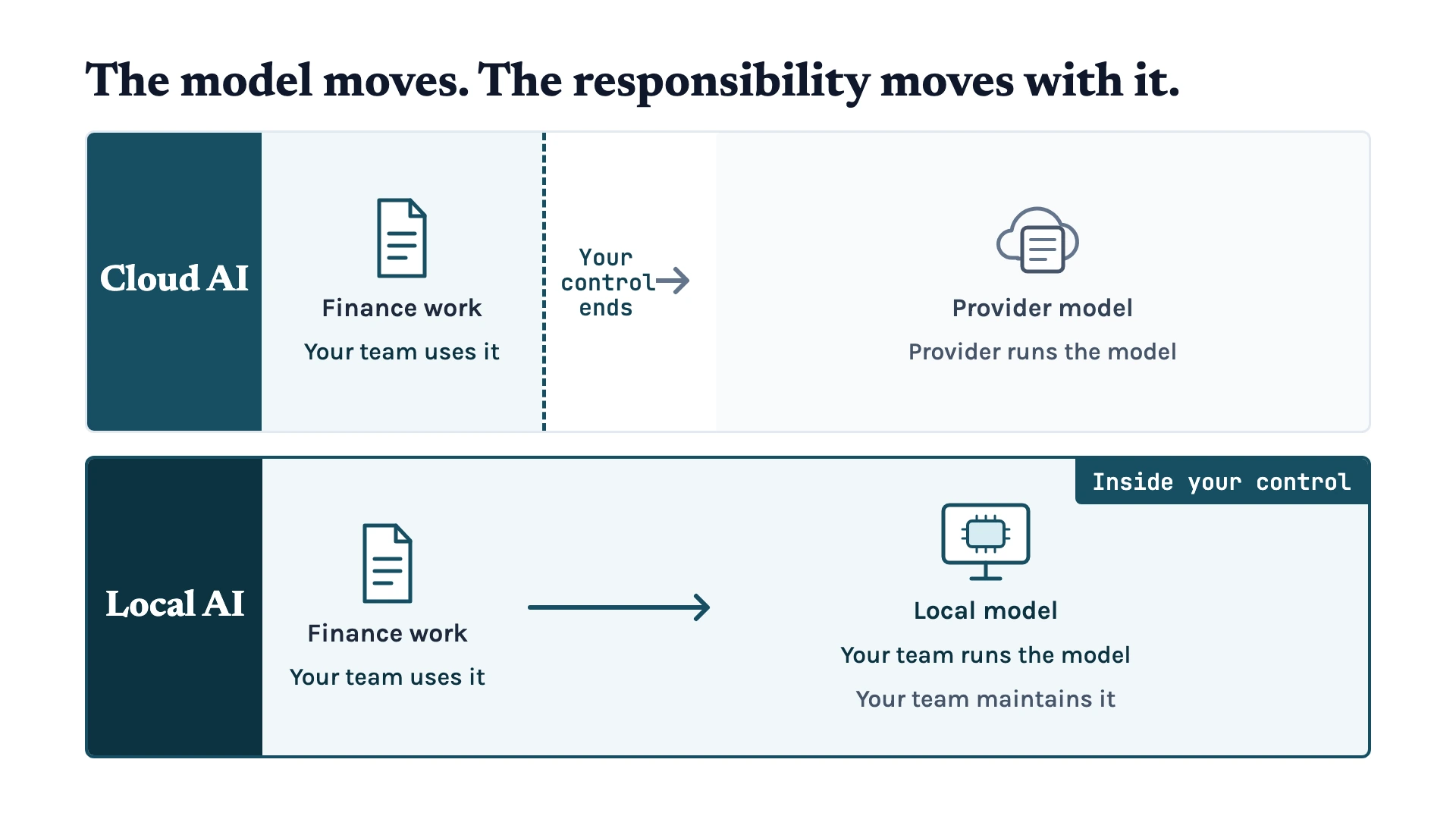
With cloud AI, the model runs on the provider’s infrastructure. Your team accesses it through a browser, app, or API, sends a request, and receives an answer. The provider manages the hardware, updates, and model availability for you. 1
On the other hand, with local AI, the model runs on hardware your business controls. That could be a capable workstation, an on-premises server, or another private environment. 2 Your team is no longer relying on an AI provider to host the model itself.
But a local model isn’t always offline or completely isolated. It may still connect to approved external services when the workflow needs them.
You may still need to download models, install updates, or connect the model to approved tools. The key difference is that your business has more control over where the model runs. It also controls how it’s configured to access files, tools, and systems.
This is where tools such as Unsloth Desktop come in because it reduces the number of separate parts a team must assemble. The application can download, run, train, and serve models on business-controlled hardware. 3 4 That makes local AI easier for a team to explore.
However, your team must still choose the model, maintain the environment, and set the right permissions.
How Unsloth Desktop Makes Local AI Easier to Use
Local AI isn’t only about finding a model to download. A team also needs a way to run it on suitable hardware. The team must connect it to existing tools and make it available where it’s needed.
Unsloth Desktop puts those steps in one application. Teams can download and run models locally, then choose a version that fits their available hardware. They can fine-tune certain models with their own data and serve a local model through an authenticated API. 3 4 It can connect to an application, chat client, or coding tool. The team doesn’t have to build every part of that connection from scratch.
For example, Unsloth can connect local models with coding agents such as Codex and Claude Code. 5 It also supports local network access when a team needs other approved devices to use the model. 4
That makes local AI easier to test, but getting a model to run isn’t the same as getting a business workflow to work.
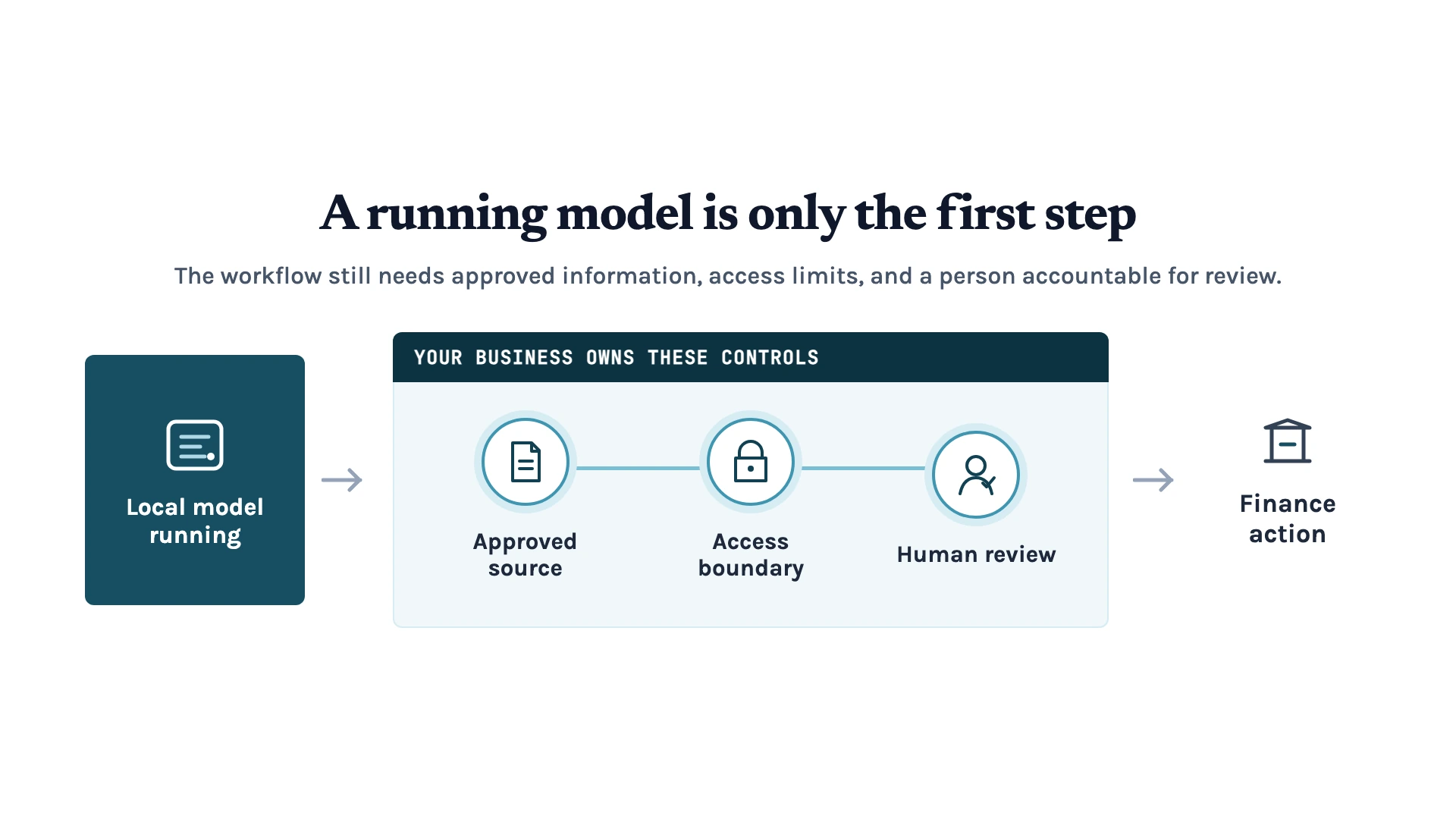
Unsloth can help you run and connect the model. But it can’t tell which version of an internal procedure is approved. It also can’t decide whether an employee should access a customer file or act on an unusual request without review. Your business still needs to set the approved sources, access boundaries, and human checks around the workflow.
Should Your Finance Team Use Local AI?
Not every business needs self-hosted AI, especially when its workflows are simpler and lower-risk. Cloud AI can still fit these workflows because your team doesn’t have to manage the hardware, updates, or local infrastructure.
However, local AI may be worth considering if your business works with:
- Sensitive customer information
- Confidential internal documents
- Proprietary code or other business information you’d prefer to keep within your own environment
Running a model locally can reduce the need to send that information to a third-party AI provider. 2 It can also suit work that needs to continue on a local network or in situations where internet access is limited. 2
However, don’t assume that running a model locally makes the workflow safe or reliable by default. A local model can still answer from an outdated procedure or misunderstand an exception. It can also access information it was never meant to use if the permissions are too broad.
The important question isn’t simply, “Can we run this model ourselves?” It’s, “Is there a specific workflow where more control over the model, data, and access is worth the extra responsibility?”
Without that need for extra control, cloud AI may be the better fit. Where the need exists, begin with a limited workflow and set clear boundaries before the model becomes part of everyday work.
Choose the Workflow Before the Model
Using local AI isn’t automatically the better choice and cloud AI isn’t automatically the simpler one. The right setup depends on the work your team is trying to do, the information involved, and the level of control the workflow needs.
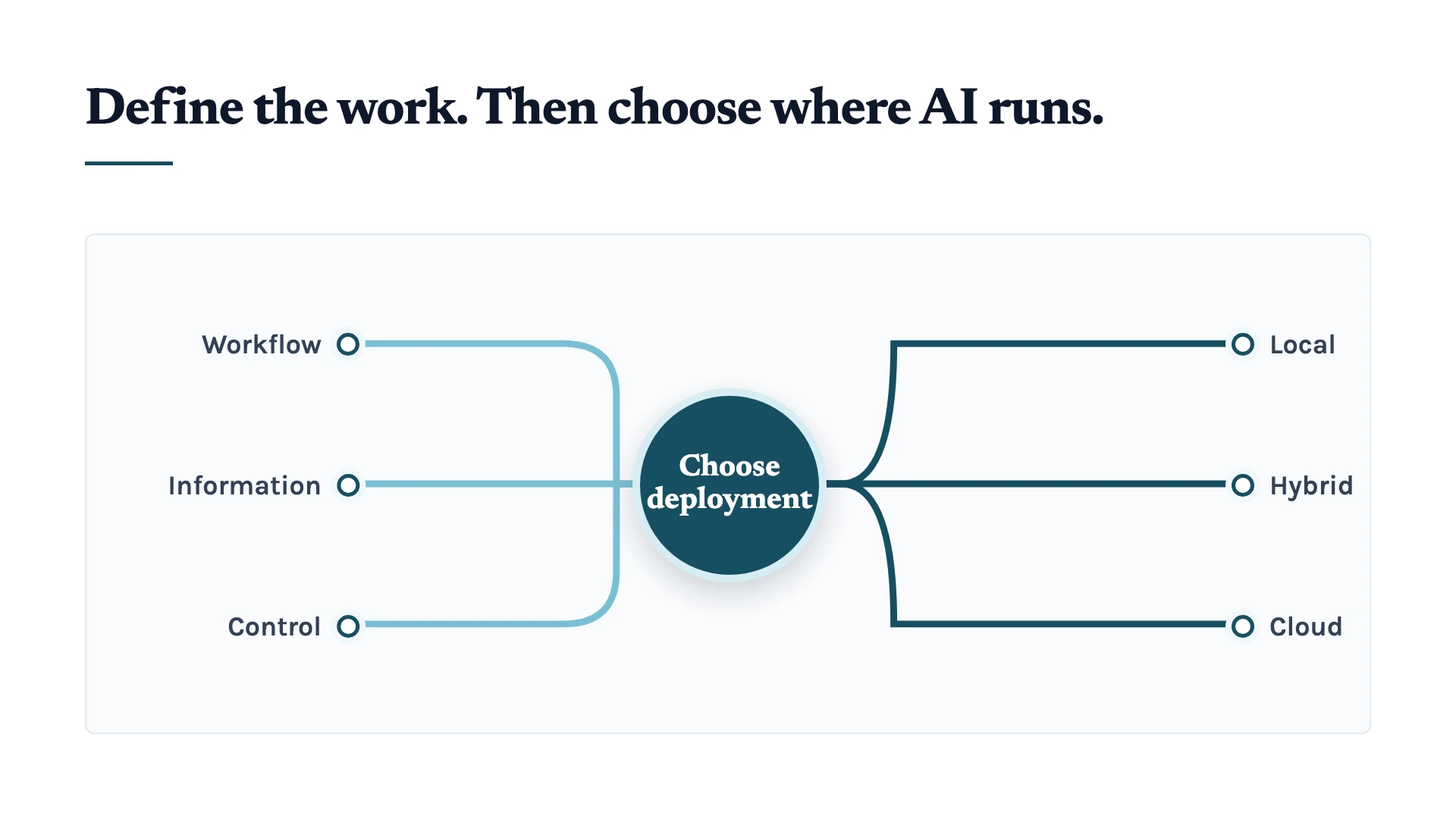
So, choose one clear business problem to address first. Define the approved sources, who can access them, what the AI can suggest, and which decisions still need a person. Then you can decide whether cloud AI, local AI, or a hybrid approach is the right fit.
If you’re unsure where to begin, get in touch with us. We can help you map the workflow and identify its risks and bottlenecks. We can then design an AI setup that supports your team without handing it more responsibility than it should have.
References
- Amazon Web Services (2026). Overview: Amazon Bedrock. https://docs.aws.amazon.com/bedrock/latest/userguide/what-is-bedrock.html
- Microsoft (2026). What is Foundry Local? https://learn.microsoft.com/en-us/azure/foundry-local/what-is-foundry-local
- Unsloth (2026). Introducing Unsloth Studio. https://unsloth.ai/docs/new/studio
- Unsloth (2026). How to use Unsloth as an API endpoint. https://unsloth.ai/docs/basics/api
- Unsloth (2026). Run Coding Agents with Local LLMs using Unsloth Start. https://unsloth.ai/docs/integrations/unsloth-start